
Your personal data is the most valuable commodity on the internet — and you are giving most of it away for free.
Every search you make, every website you visit, every app you use, and every purchase you make online generates data about you: your interests, your location, your health concerns, your financial situation, your relationships, and your daily patterns. This data is collected, aggregated, sold, and used in ways that most people are entirely unaware of.
Online privacy is not about paranoia or having something to hide. It is about having control over your own information — who has it, what they do with it, and how it shapes your digital experience. This article gives you the practical steps to meaningfully improve your online privacy without disrupting your daily digital life.
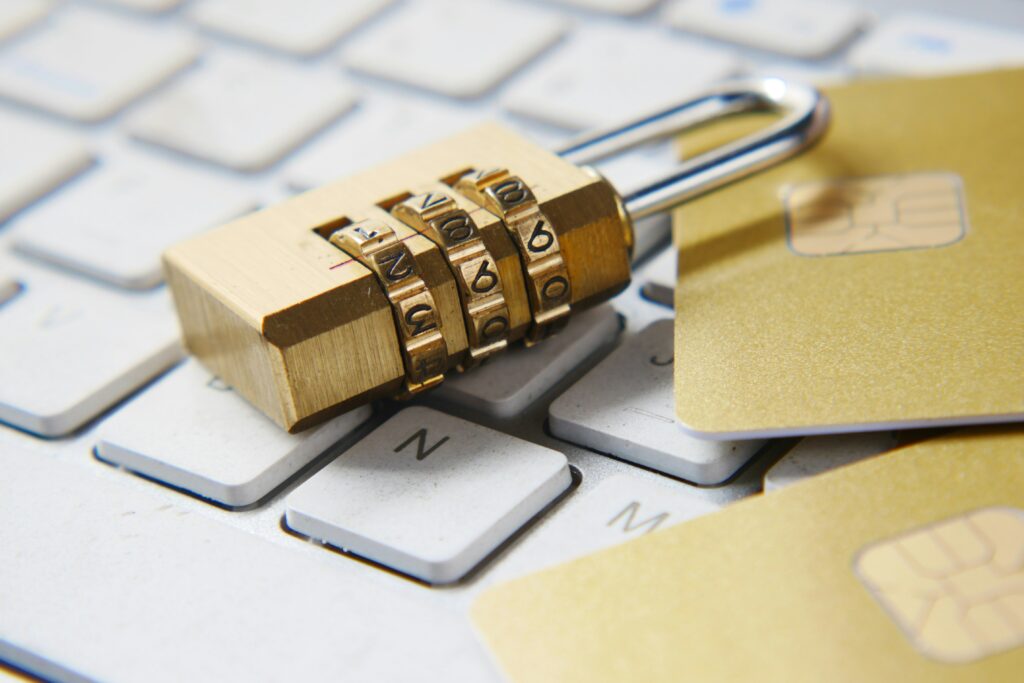
Why Online Privacy Matters
The consequences of poor online privacy range from mildly inconvenient to genuinely harmful.
Targeted advertising uses your data to influence your purchasing decisions, political views, and beliefs in ways designed to serve the advertiser’s interests rather than yours. The sophistication of this targeting — based on thousands of data points about your behavior, psychology, and preferences — is significantly beyond what most people appreciate.
Data breaches expose your personal information — passwords, financial data, identification numbers — to criminals who use it for identity theft, financial fraud, and account takeovers. Billions of records are breached annually, and the probability that your data has been exposed in at least one breach is high.
Account compromise through weak or reused passwords gives attackers access to email, banking, and social accounts — with potentially severe financial and personal consequences.
Surveillance by governments, employers, and others uses digital data in ways that affect personal freedom, professional reputation, and safety.
As AI becomes more embedded in professional life, understanding its implications for your data and privacy becomes increasingly important — read our guide on 7 ways AI will change your job in the next 5 years for the complete picture.
6 Practical Steps to Protect Your Privacy Online
1. Use Strong, Unique Passwords and a Password Manager
The most common point of failure in online security is password reuse — using the same password across multiple accounts. When one service is breached and your password is exposed, attackers use automated tools to try that password across hundreds of other services. This attack — called credential stuffing — is responsible for the majority of account compromises.
The solution is using a unique, strong password for every account — which is only practically possible with a password manager. A password manager generates and stores strong unique passwords for every account, requiring you to remember only one master password.
Recommended password managers: Bitwarden is free, open-source, and highly rated for security. 1Password and Dashlane are strong paid alternatives with additional features. All three work across devices and browsers.
2. Enable Two-Factor Authentication
Two-factor authentication (2FA) adds a second verification step when logging in — typically a code sent to your phone or generated by an app. Even if an attacker has your password, they cannot access your account without also having the second factor.
Enable 2FA on every account that offers it — particularly email, banking, social media, and any account linked to payment information. Email is the highest priority because email account compromise gives attackers the ability to reset passwords on every other account.
Authentication apps — Google Authenticator, Authy, or Microsoft Authenticator — are more secure than SMS codes for 2FA, because SMS can be intercepted through SIM-swapping attacks.
3. Review and Restrict App Permissions
Every app on your smartphone requests permissions — access to your location, camera, microphone, contacts, photos, and other data. Many apps request far more permissions than they actually need to function, collecting data for advertising purposes beyond their stated function.
Review the permissions granted to every app on your phone. On iPhone: Settings → Privacy. On Android: Settings →Apps → Permissions. Revoke any permissions that are not clearly necessary for the app’s function. A flashlight app does not need access to your contacts. A recipe app does not need your location.
Particular caution is warranted around location permissions. Many apps request “always on” location access — tracking your location continuously even when the app is not in use. Grant location access only when using the app and only to apps that genuinely need it.
4. Use a Privacy-Focused Browser and Search Engine
Your web browser collects significant data about your browsing behavior. Chrome, the most widely used browser, shares this data with Google’s advertising infrastructure. Firefox is a strong privacy-respecting alternative that blocks many tracking technologies by default. Brave is built specifically for privacy and blocks ads and trackers automatically.
Search engines also collect detailed data about your queries. Google’s business model is built on using this data for advertising targeting. DuckDuckGo is a privacy-focused search engine that does not track your searches or build a profile of your interests. Startpage provides Google search results without the tracking.
Switching your default browser and search engine takes minutes and meaningfully reduces the data collected about your browsing behavior.
5. Be Careful What You Share on Social Media
Social media platforms are designed to extract as much personal information as possible — both explicitly through profile information and implicitly through behavior, content, and connections.
Audit your social media privacy settings on each platform. Most platforms default to sharing more information with more people than most users would choose if they understood the defaults. Review who can see your posts, who can find you by phone number or email, and what information is publicly visible on your profile.
Be deliberate about what personal information you share publicly. Your location, daily routine, workplace, family information, travel plans, and financial situation are all categories of information that can be used by bad actors — from targeted criminals to stalkers to social engineers.
6. Use a VPN When on Public Networks
A VPN (Virtual Private Network) encrypts your internet traffic and routes it through a server in a location of your choice, preventing your internet service provider and anyone on the same network from monitoring your activity.
VPNs are particularly important on public Wi-Fi networks — in cafes, airports, hotels, and public spaces — where your unencrypted traffic can be monitored by anyone on the same network. They are also valuable for accessing content that is geographically restricted and for preventing your ISP from monitoring and selling your browsing data.
Reputable VPN providers: Mullvad and ProtonVPN prioritize privacy and maintain no-log policies verified by independent audits. ExpressVPN and NordVPN are widely used and generally well-regarded. Avoid free VPN services — they typically monetize by selling the data they claim to protect.
Many of the AI tools that protect your productivity also raise important privacy considerations — read our guide on 10 surprisingly powerful free AI tools for your daily life to understand which ones handle your data responsibly.
What You Cannot Fully Control
Honest privacy guidance acknowledges what you cannot fully control.
Your data already exists in numerous databases — from past data breaches, from services you have used over the years, and from data brokers who compile information from public records and purchased data. This historical data cannot be entirely erased, though some services offer partial removal from data broker databases.
The platforms you depend on — email providers, social media, shopping platforms — have access to significant data about your behavior as a condition of using their services. The realistic goal is not zero data collection but informed, deliberate management of what data you share and with whom.
Your Privacy Checklist — Do These Today
Privacy improvements are only valuable when implemented. Here is a prioritized checklist organized by impact and effort:
High impact, low effort — do these today:
Check your email at haveibeenpwned.com to see if your data has been breached. Change passwords for any breached accounts immediately.
Enable two-factor authentication on your email account. This single action eliminates the majority of account compromise risk.
Review the permissions of your most-used apps. Revoke any location, microphone, or camera access that is not clearly necessary.
High impact, moderate effort — do these this week:
Install a password manager and migrate your most important accounts to unique strong passwords. Start with banking, email, and social media.
Switch your default search engine to DuckDuckGo. It takes thirty seconds and immediately reduces your search tracking.
Review your social media privacy settings on each platform. Change profile visibility, search discoverability, and data sharing settings to your preferred levels.
Medium impact, worth doing when you have time:
Switch your default browser to Firefox or Brave for improved tracking protection.
Install a VPN for use on public Wi-Fi networks.
Review your annual subscription renewals for services you no longer use and cancel them — this also reduces the number of companies holding your data.
The goal is not perfect privacy — it is meaningfully better privacy than you have today. Start at the top of this list and work down.
Wrapping Up
Perfect online privacy is not achievable — and pursuing it is not worth the friction of completely disconnecting from the digital services that make modern life functional. What is achievable is informed, deliberate management of your digital privacy — knowing what you share, with whom, and making conscious choices about that trade-off rather than unconsciously accepting the default settings designed to extract maximum data from you.
The six steps in this article, implemented consistently, provide meaningful protection against the most common and consequential privacy threats. Start with the password manager and two-factor authentication — these two changes alone eliminate the majority of account compromise risk.